

Other tools wait for updates. Paige finds them.
The only platform where AI monitors your vendor emails — just the ones you choose — and flags every price change, confirmation, and deadline change across every wedding. Free to start.
Somewhere in your inbox, a price change is waiting. You just haven't seen it yet.
Somewhere between a confirmation and a contract follow-up, a $325 price change slipped past you. Your florist went radio silent three weeks ago. The deposit you're still chasing is buried in a reply-all. And that's one wedding. You have a dozen more. Paige catches the change before you have to go looking.
Your current tool's AI answers when you ask. Paige watches when you don't.
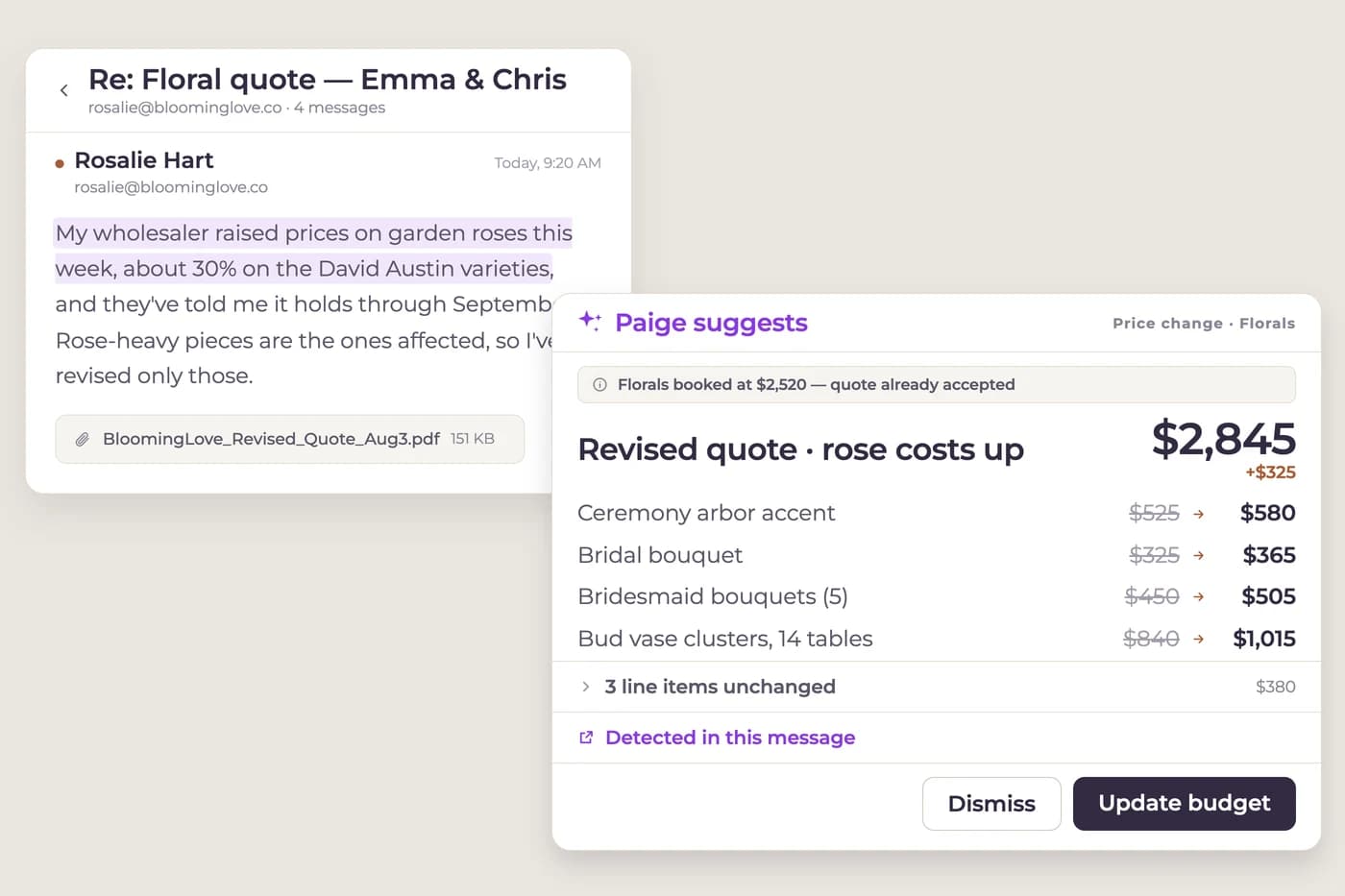
Your florist just changed the price. Paige already caught it.
Connect the vendor threads you want Paige to watch. When a price changes, a deposit clears, or a deadline moves, Paige flags it against your plan and suggests the update. You review, approve, done. Nothing gets buried, and nothing happens without you.
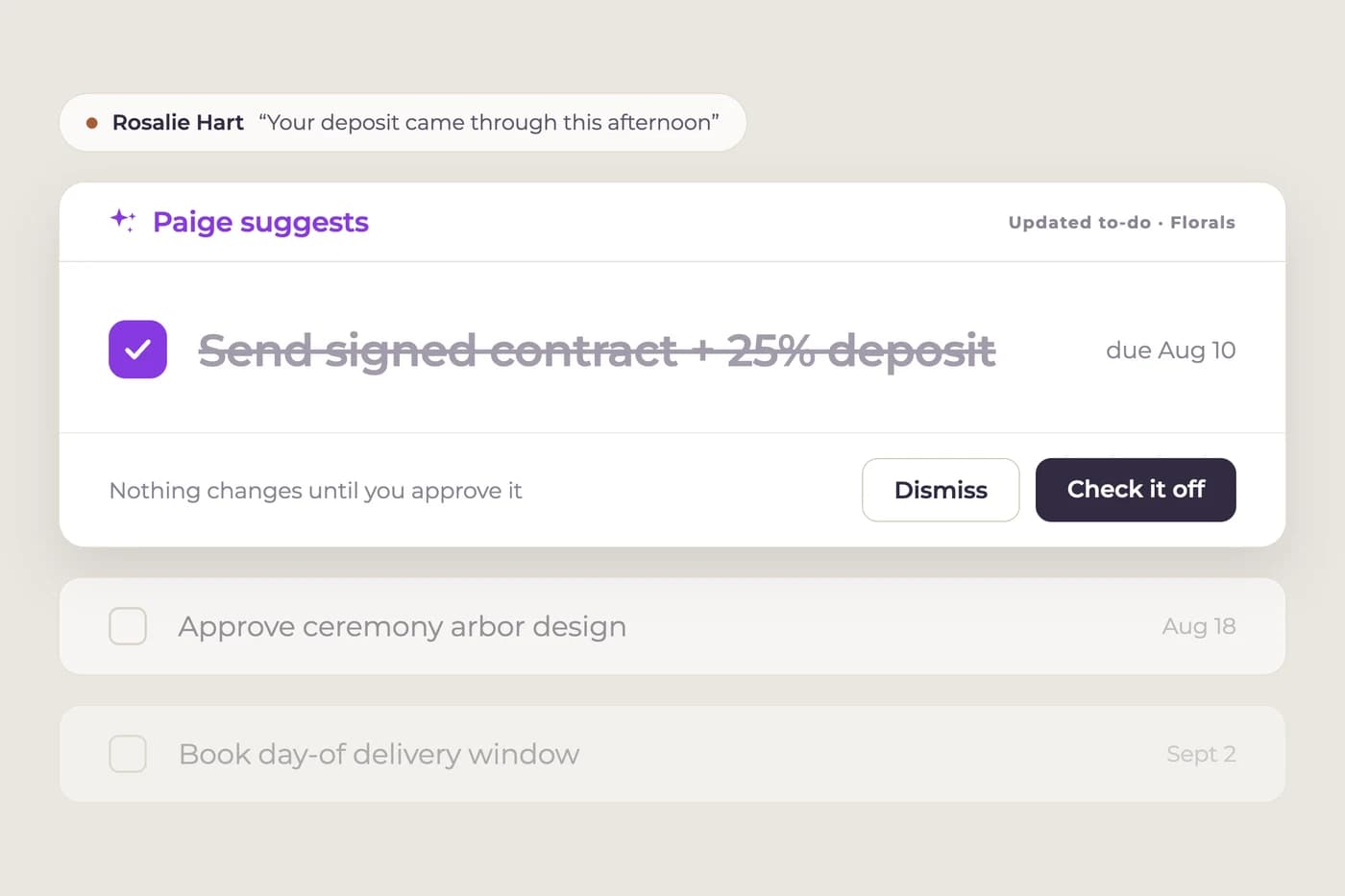
Deposit confirmed. One tap, task done.
The same monitoring that catches price changes keeps your to-do list honest. When a vendor email completes a task, Paige suggests the check-off. You approve, and the list stays real without you maintaining it.
Up and running in minutes
Connect your Gmail
Add your vendor contacts, and Paige starts watching for updates. Paige only monitors threads with vendors and couples you’ve added. Nothing sends, archives, or deletes without you.
Create your weddings
Run the intake form for each wedding and Paige generates the budget, timeline, and task list to start from.
Review and approve
Paige monitors your vendor threads, flags what changed, and suggests updates and replies. You approve, and everything stays in sync.
Paige reads the paperwork you already signed.
Every contract saved on a wedding, checked against the plan and against what the vendor said in email. Paige quotes both sides of anything that does not match.
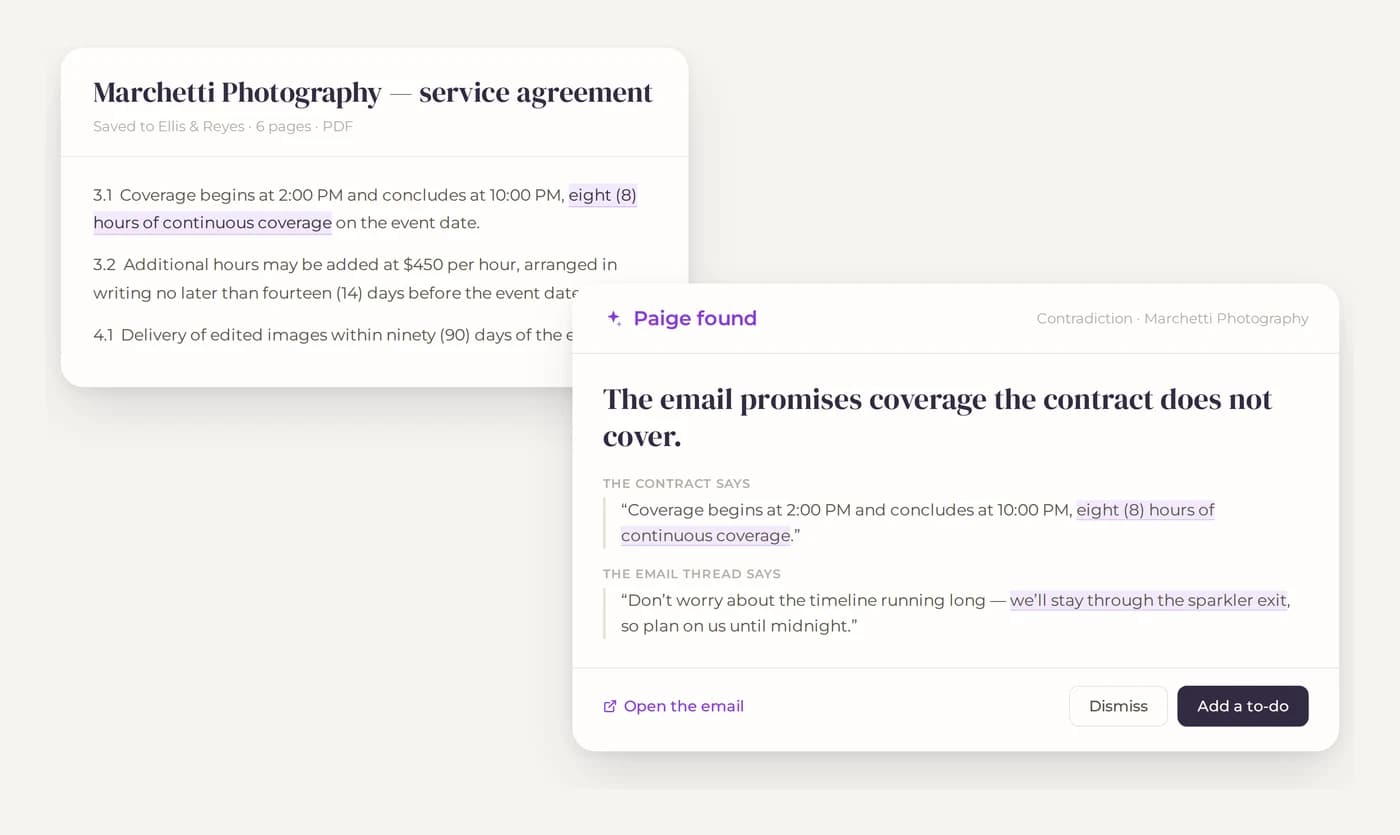
The email promised ten hours. The contract says eight.
Paige reads the contracts saved on a wedding against the wedding itself, then against that vendor's own email threads. When the two disagree, Paige flags the gap and quotes both sides, so you are reading the words, not a summary of them. You decide what to do about it.
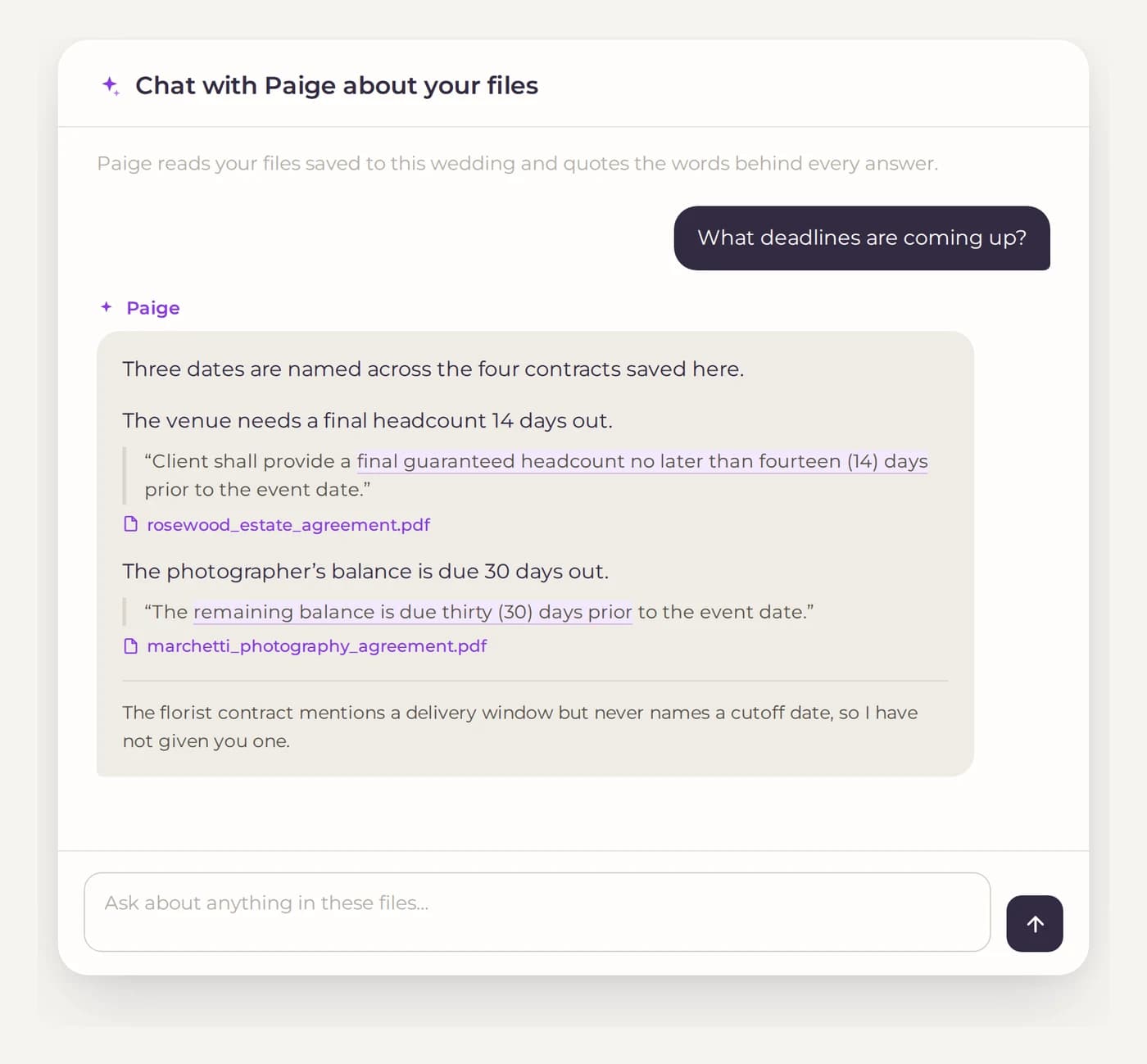
“What deadlines are coming up?”
Ask about anything in the paperwork and get the answer with the sentence it came from, and the file it came from. When a contract does not say, Paige tells you that instead of guessing.
Paige reads the threads you choose. Nothing else.
- Paige only monitors threads with vendors and couples you have added. Nothing else is touched.
- Message bodies and attachments are never stored. Subjects and previews are encrypted at rest.
- Disconnect whenever you like, and everything Paige derived from your mail goes with it.
When you’re ready, there’s more.
None of this is required to get value from Paige. It’s here when you want it.
“Mark the florist deposit as paid.” Done.
Describe what happened, or what you need. Review, approve, and move on. No menus, no clicking through screens, just the way you’d tell a person.

The couple wants candlelit and moody? Show them.
Upload a venue photo and Paige restyles it in any direction they're dreaming about. Drag to compare. Sell the vision before committing the budget.


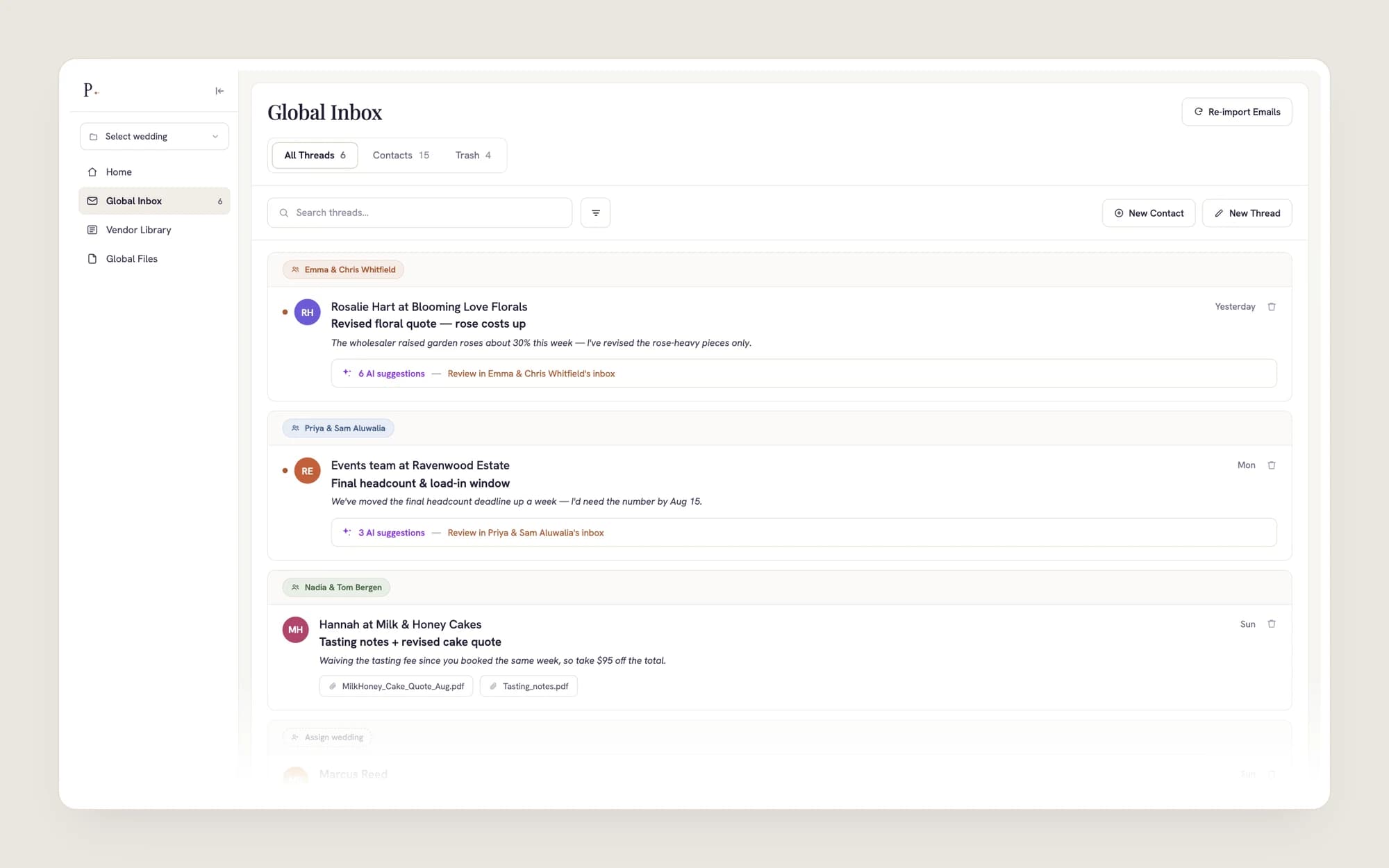
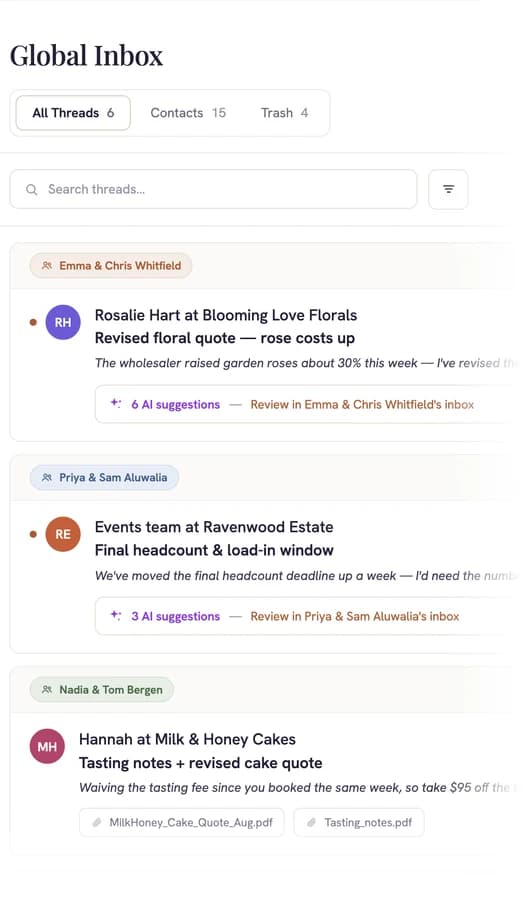
One inbox, every wedding.
See it all at a glance, organized by couple, so you know exactly which one needs you.
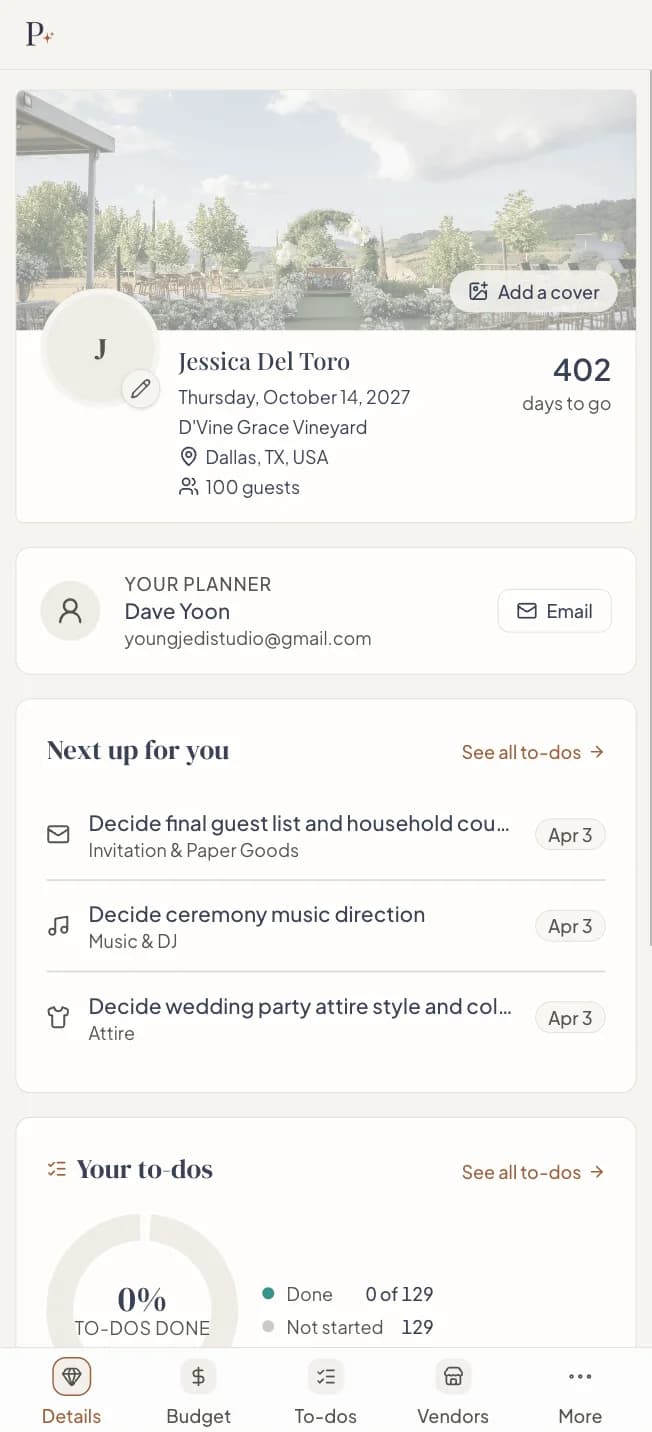
Your couples get a portal of their own.
Their timeline, their budget, their vendors, and the to-dos you hand them, in one place they can open from their phone. They see what you share, and nothing else. You decide what that is.
What Paige takes over. What you keep.
Paige is not another place to type things. It sits on top of the inbox you already have and hands the admin back to you, done.
Paige takes over
- Re-reading every vendor thread to find what changed
- The spreadsheet of deposit dates and balances due
- Typing what a vendor said into your budget and to-dos
- Remembering which wedding a thread belongs to
- The first draft of the reply
You keep
- Your CRM and client pipeline
- Contract signing, proposals, and invoicing
- Your calendar and the tools your couples already know
- Every decision. Paige flags and suggests. You decide.
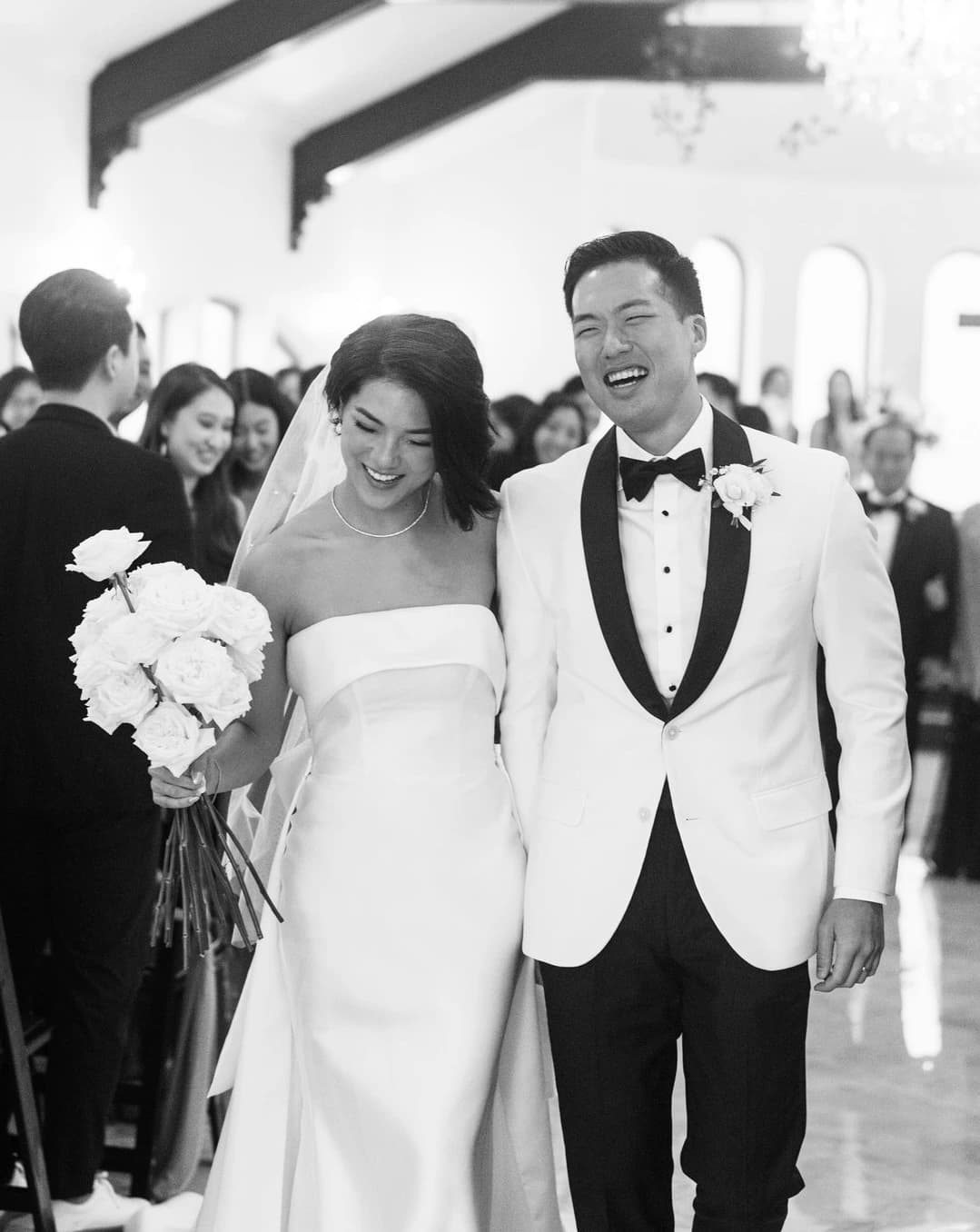
Dave & Michelle, on their own wedding day
Book a walkthrough with our founder, Dave.
Try Paige on one of your weddings. Most planners leave the 30-minute call fully set up.
Already on another tool? Keep it. Paige sits on top of the inbox you already have, and Dave will show you on one of your real weddings.
Start free. Grow when you're ready.
Upgrade as your book grows. Every plan includes the full platform today. AI and all. Nothing to cancel first: Paige works alongside what you already pay for.
Plus
For working planners.
- Up to 6 active weddings
- Up to 3 team members
Frequently asked questions
- No. Paige only monitors threads with vendors and couples you’ve added. Nothing else is touched, and nothing sends, archives, or deletes without you.
- Yes. Paige works from the inbox you already have, so there is nothing to migrate and nothing to cancel. Most planners run one wedding on Paige alongside their current tool first and go from there.
- No. Paige flags and suggests. Every update to your budget or tasks is approved by you, and emails only send when you hit send.
- No. Paige is built on a model of how weddings actually work: vendors, budgets, timelines, and how they connect. That’s why Paige can flag what a price change means for your plan instead of just summarizing an email. And unlike a chatbot, nothing Paige suggests happens until you approve it.
- Never. Drafts wait for you. Emails only go out when you click send.
- Paige drafts the reply in the tone you pick, friendly, formal, concise, or firm, with the wedding's details already filled in. You edit and send.
- Yes. The demo runs on a sample wedding with no signup and no Gmail connection. Five minutes and you’ll see the whole loop.
- They get a branded view of their timeline, budget, and vendors through the couple portal. You control what they see.
- Paige is built for it. Every wedding has its own budget, timeline, vendors, and calendar, and the global inbox keeps threads sorted to the right wedding.
- Completely. Your weddings, vendors, and threads are visible only to you and the collaborators you invite.
- Paige is built on Gmail today, so you’ll need a Gmail or Google Workspace account. More email providers are on the roadmap.
When you connect Gmail and Google Calendar, here's exactly what Paige does with them.
Reading your inbox
Paige reads vendor and couple email threads to extract structured details (budget line items, payment dates, timeline changes, and action items) and surfaces them as suggestions you approve or dismiss.
Keeping Gmail in sync with your actions in Paige
When you mark a thread read, archive it, or move it to trash inside Paige, the same action writes to your Gmail so your real inbox stays current.
Sending replies as you
When you compose and click Send in Paige, the message goes from your Gmail address and threads into the existing conversation. Nothing sends automatically.
Creating dedicated calendars per wedding
Paige creates one Google Calendar per wedding plus one aggregate calendar, and writes milestone events (appointments, payment dates) to them so wedding events stay off your personal calendar.
Paige's use of information received from Google APIs will adhere to the Google API Services User Data Policy, including the Limited Use requirements.
We do not use your Google user data to train or fine-tune AI or machine-learning models. Full details in our Privacy Policy.
Less admin. More fun. Better weddings.
Start free on a real wedding, no credit card.